Contents
How the tile calculator works
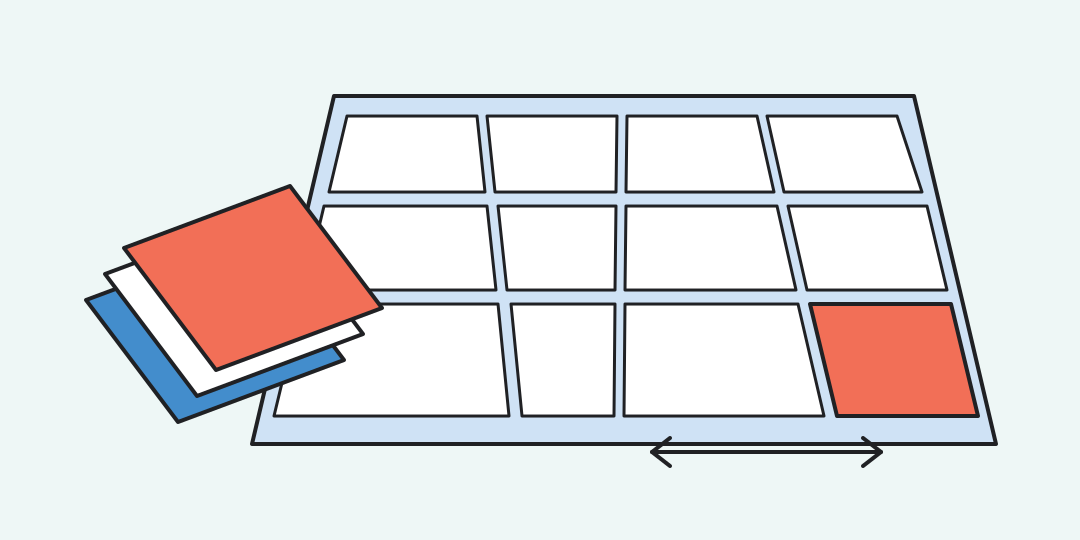
Enter the surface and tile dimensions, choose a laying pattern, and add the number of tiles in one package. The result separates the tiles needed from the whole packages to buy and gives a preliminary grout estimate.
Read the package count first
The large result answers the shopping question: how many unopened packages are needed. The detail table shows the theoretical tile count after allowance, the number actually purchased after package rounding, and the area those packages cover.
A 10% allowance does not guarantee that the purchased area is exactly 10% larger. If 74 tiles are needed and a package holds 8, the purchase becomes 80 tiles. Small rooms and large package sizes make this second rounding more noticeable.
Tiles and grout use different formulas
S is the surface area, a × b is one tile’s area, r is the allowance, q is tiles per package, N is the required tile count and P is the package count. Units are converted internally before the calculation.
For grout, tile length a, width b, thickness t and joint width w are treated in millimetres. The coefficient 1.6 is a planning convention, not the density of every cement, epoxy or ready-mixed grout.
Three orders worked through
A 12 m² floor with 600 × 300 mm tiles. At 10% allowance, 74 tiles are required. With 8 per package, buy 10 packages: 80 tiles covering 14.4 m². A 9 mm tile and 2 mm joint give about 1.73 kg of grout.
A 4 m² diagonal wall with 300 × 300 mm tiles. A 15% allowance gives 52 tiles. Packages of 11 round the order to 5 packages and 55 tiles. With an 8 mm depth and 3 mm joint, the grout estimate is about 1.02 kg.
A 100 ft² area with 24 × 12 in tiles. At 10% allowance and 8 tiles per box, the calculator returns 55 tiles and 7 boxes, or 112 ft² purchased. A 0.35 in depth and 0.125 in joint produce an estimate near 4.55 lb of grout.
What the pattern selector changes
Straight grid starts at 10%, running bond at 12%, diagonal at 15% and herringbone at 20%. Selecting a pattern only sets a practical starting allowance; you can edit the percentage immediately afterwards.
Room shape matters more than the name of the pattern. Niches, many corners, directional prints, colour sorting and large-format edge cuts can use more material. A measured row-by-row layout is the better check for an expensive order.
Units, joints and limits
Switching measurement systems converts the current entries. Surface dimensions use metres or feet; tile, thickness and joint dimensions use millimetres or inches. Tile joints are not subtracted from the tile quantity, which keeps the purchase estimate slightly conservative.
The grout figure assumes the joint depth is approximately the entered tile thickness. Adhesive in the joint, bevelled edges, product density and cleaning losses change real use. Compare the result with the manufacturer’s table and round to available pack sizes.
The calculator handles one rectangular tile format at a time. Sheets of mosaic should use the size of one chip for grout geometry, while package buying may need the coverage printed for the complete sheet. Mixed modules, hexagons, borders and panels need a separate layout.
Questions before ordering tile
Should I enter the room area or its length and width?
Use length and width for one rectangular surface. For several walls, openings or an irregular room, total the net areas first and enter the final area.
Does the selected pattern calculate every cut?
No. It supplies a starting allowance of 10%, 12%, 15% or 20%. The tool does not place individual tiles or reuse particular offcuts.
Why are there more purchased tiles than the allowance suggests?
The required tile count is rounded up, then the package count is rounded up again. A partly needed package still has to be bought whole.
Are grout joints included in the tile count?
They are not subtracted from the surface. That small conservative difference is usually less important than edge cuts and package rounding.
Can I use the grout result for epoxy grout?
Use it only as a geometric estimate. Product density and application losses differ, so the epoxy grout data sheet takes priority over the coefficient 1.6.
What size should I enter for mosaic on a mesh sheet?
Use one mosaic chip for the grout calculation because the internal joints matter. For the tile purchase, confirm the sheet coverage and package quantity separately.
Similar calculators
You may find the following calculators on the same topic useful:
- Insulation volume calculator. Plan insulation for walls, floors or ceilings and see how whole-package rounding affects the order.
- Sealant consumption calculator. Measure the joint, choose a package size and add an allowance to find how many cartridges, tubes or sausages to buy.
- Picket Calculator. Calculate the necessary amount of metal or wooden pickets for a fence online.
- Breakstone Calculator. Determine the weight or volume of crushed stone, converting between m³ and tons.
- Sand Calculator. Convert sand volume to weight and vice versa based on its type. A great solution for construction needs.
- Tonne Converter Calculator. Use this tool to convert different weight units, such as kilograms or grams, to tonnes.
- Box Volume Calculator. Use the calculator to determine the volume of a box in m³ or liters, considering its dimensions.
- Tube Volume Calculator. Determine the volume of a tube in cubic meters or liters by simply entering the diameter and length of the pipeline.
- Strip Foundation Concrete Calculator. Determine the required volume of concrete mix for effective pouring of a strip foundation.
- Slab Foundation Concrete Calculator. Get precise calculations for pouring a slab foundation to ensure the stability and durability of your building.
Share on social media
If you liked it, please share the calculator on your social media platforms. It`s easy for you and beneficial for the project`s promotion. Thank you!