Contents
How the online piano works
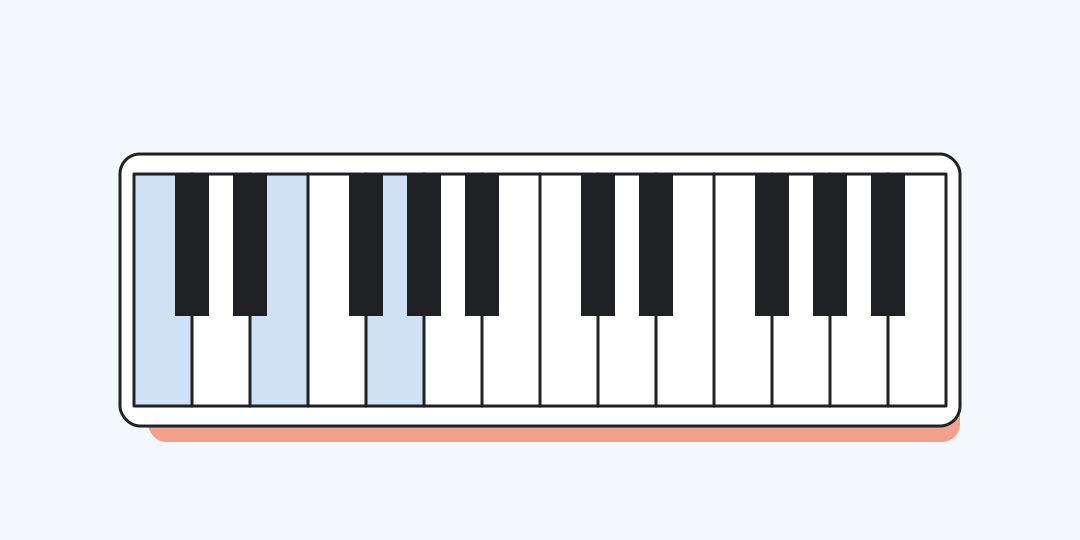
The instrument has 24 keys from C3 to B4. Tap or click any key, or use the displayed computer shortcut for the first 20 notes; separate audio samples let several notes sound together.
Start with the groups of black keys
The keyboard repeats a pattern of two black keys and then three. C sits immediately to the left of each two-key group, so this pattern gives you a reliable landmark even when note labels are hidden.
On a computer, switch to an English layout. The first white notes use Q, W, E, R, T, Y, U, and the next C begins at I. Number keys 2, 3, 5, 6, and 7 play the black notes in the first octave.
Three quick things to play
C-major scale: press Q, W, E, R, T, Y, U, I. You will hear eight white notes ending one octave above the start.
C-major chord: press Q, E, and T together for C3, E3, and G3. Playing the same keys one after another turns the chord into an arpeggio.
Octave: play Q and I together. C3 and C4 share a note name, while the second sound is twelve semitones higher.
Black keys have two common names
The key between C and D can be called C sharp or D flat. Both names point to the same sound here. Every neighbouring key, white or black, is one semitone away.
This is a compact practice instrument
Each note starts a fixed piano sample. Holding a key does not add sustain, and pressing harder does not change volume because velocity and pedals are not modelled.
Recording, MIDI input, a metronome, and sound selection are not included. Some computer keyboards also miss certain three-key combinations; use the on-screen keys if one note of a chord disappears.
Online piano questions
These details explain the playing range and the most common sound problems.
How many keys does the piano have?
It has 24 keys: 14 white and 10 black, covering C3 through B4.
Can I play chords?
Yes. Different notes use separate samples, so several keys can sound at once.
Why do only some keys show computer shortcuts?
The computer mapping covers 20 notes from C3 through G4. The final four notes remain available on screen.
Why is there no sound?
Interact with the page once, then check the device volume, silent mode, and whether the browser tab is muted.
Does the piano support MIDI or recording?
No. This version accepts screen and computer-key presses and plays one fixed piano sound set.
Similar calculators
You may find the following calculators on the same topic useful:
- Day of the week calculator. Choose a date to see whether it falls on a Monday, Tuesday or another day of the week.
- Week number calculator. Choose a date to see its week number according to ISO 8601.
- Online drums. Play nine drum sounds on screen or from the keyboard; everything is generated directly in your browser.
- Online timer with sound. Set any everyday interval and follow a clear countdown that can be paused, resumed or reset.
- Date calculator. Choose a start date and calendar interval to find the resulting date and weekday.
- Audiobook speed calculator. Enter the book length, position reached, playback speed, and daily listening time to plan the rest.
- TV series watch time calculator. Enter the episode count, runtime, playback speed and daily viewing time to plan the whole series.
- BPM to milliseconds calculator. Choose a tempo, note value and rhythm to get the interval for your effect.
- Calculator for Counting Days Between Dates. Calculate the number of days between two selected dates using our online calculator.
- Age Calculator. Provide your birthdate and discover your age.
Share on social media
If you liked it, please share the calculator on your social media platforms. It`s easy for you and beneficial for the project`s promotion. Thank you!