Contents
What the variance calculator does
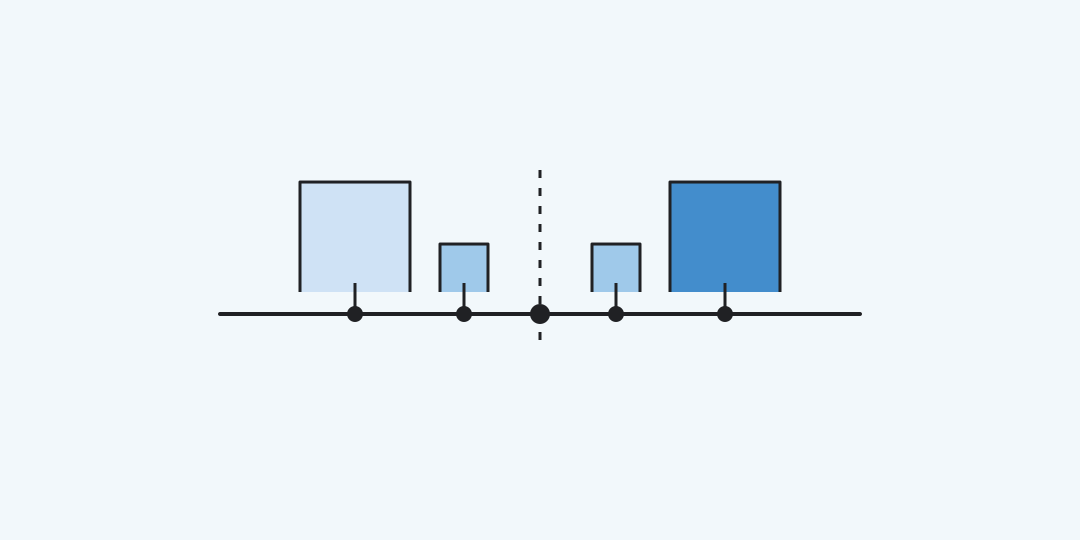
Variance measures how widely numbers spread around their mean. Paste the observations, choose whether they form the entire population or a sample, and the calculator shows the appropriate variance.
Decide what your list represents
A complete group uses the population formula. Each distance from the mean is squared, the squares are added, and that sum is divided by the number of observations.
Here is an observation, its population mean, and the count. If your list stands in for a larger group, choose sample. The denominator becomes after estimating the mean from those same observations.
Do not choose sample merely because a list is short. The question is whether the listed items are every item you intend to describe. A population of one has variance zero; a sample needs at least two numbers.
Check the arithmetic on familiar lists
Eight completed measurements. For 2, 4, 4, 4, 5, 5, 7 and 9, the mean is 5 and the squared deviations sum to 32. As a complete population, variance is 32 / 8 = 4. This describes only that finished set.
Eight observations sampled from a longer run. The same numbers still have mean 5 and squared-deviation sum 32. Sample variance is 32 / 7, about 4.571. The larger answer comes from the changed denominator, not from changed data.
Equal readings. Values 7, 7 and 7 have mean 7, so every deviation is zero. Both modes return variance 0. No spread was detected at the precision of these readings.
Units and limits matter
Variance uses squared units. If the input is in seconds, the result is in square seconds. For a spread in the original unit, see standard deviation, the square root of variance. A large value has no universal cutoff: compare it with another list using the same unit and context.
Separate values with spaces, newlines or semicolons. A decimal comma without a following space is a decimal mark, so 1,5 is one value; 1, 5 is two. Do not group thousands. The display can be rounded to 0–10 decimal places; calculation retains machine precision. The limit is 10,000 values and 200,000 characters. Extreme magnitudes that cannot be calculated reliably are rejected.
Questions before using the result
The correct divisor and unit depend on the question behind the data. These short answers help avoid a plausible-looking but misleading number.
When should I use sample variance?
Use it when the listed observations represent a larger population and you want the n minus 1 correction. Use population variance to describe the complete group in the list.
Can variance be negative?
No. Squared deviations and their average cannot be negative.
Why is the unit squared?
Every difference from the mean is squared before averaging. Measurements in metres therefore give a variance in square metres.
Does rounding change the calculation?
No. It changes only the displayed number of decimal places. The raw calculation uses the entered values.
Should I remove an outlier?
First check whether it is a real observation or a data error. Removing a genuine extreme value changes the group being described and can lower variance substantially.
Similar calculators
You may find the following calculators on the same topic useful:
- Percentile and percentile rank calculator. Enter numbers, then choose a percentile or compare one value with the list.
- Bayes theorem calculator. Use the event rate, signal sensitivity and false-alarm rate to update the probability after a signal.
- Sample size calculator. Choose your precision and confidence level to estimate how many usable answers to collect.
- Simple Calculator. Simply calculate whatever you need.
- Pi Calculator. Find out the value of Pi with the desired number of decimal places.
- Calculator for the Number 'e'. Calculate the desired number of decimal places in the number 'e' (Euler's number or Napier's constant) using the 'e' number calculator.
- Quadratic Equations Calculator. Apply methods to solve quadratic equations using formulas, discriminant, and Vieta's theorem.
- Percentage Less Calculator. Calculate online how much one number is less than another in percentage.
- Percentage More Calculator. Calculate online how much one number is more than another in percentage.
- Scientific Calculator. Solve complex equations with our sophisticated (scientific, engineering, financial) calculator.
Share on social media
If you liked it, please share the calculator on your social media platforms. It`s easy for you and beneficial for the project`s promotion. Thank you!