Contents
How the file transfer time calculator works
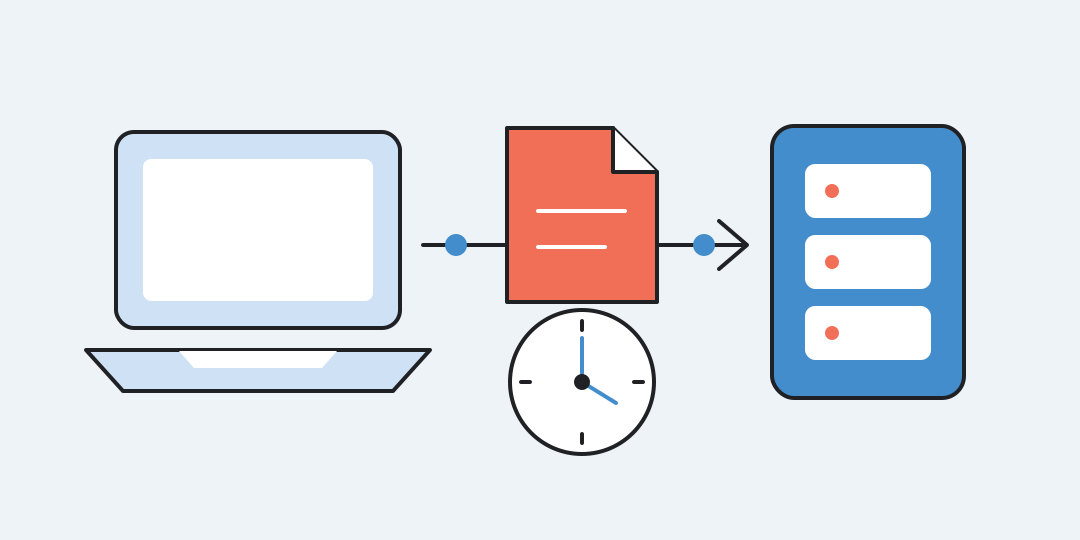
Enter a file size, a transfer speed, and the usable share of that speed to estimate how long a download, upload, or local copy will take.
From file size and speed to time
The calculator first converts the file size to bytes and the selected speed to bits per second. It then applies the chosen 100%, 90%, 80%, or 70% utilization factor:
Here, is the file size, is the stated or measured transfer rate, and is the usable fraction written as a decimal. The primary answer is the estimated duration. The ideal minimum, effective speed in decimal MB/s, and reserve are supporting values.
Use a measured sustained speed with 100% when the measurement already reflects real conditions. For an advertised rate from a plan or network link, choose 90%, 80%, or 70% to treat only that share as usable and leave the remaining 10%, 20%, or 30% of the stated throughput as a reserve. For an upload, enter the outgoing speed, not the usually higher download speed.
Worked transfer estimates
- Inputs: 10 GB, 100 Mbit/s, 90%. Result: the ideal minimum is 13 min 20 s; the estimate is 14 min 49 s at an effective 11.25 MB/s, with 1 min 29 s of reserve. Conclusion: a 100 Mbit/s connection should not be treated as if every bit were available to the file for the whole transfer.
- Inputs: 700 MB, 10 MB/s, 100%. Result: both the ideal and estimated time are 1 min 10 s, and the reserve is zero. Conclusion: when a sustained byte rate is already known, 100% gives the direct size divided by speed calculation.
- Inputs: 1 TiB, 1 Gbit/s, 90%. Result: the ideal minimum is 2 h 26 min 37 s and the estimate is 2 h 42 min 54 s. Conclusion: binary file units matter at terabyte scale, and using 90% rather than 100% of the stated rate makes a visible difference over a transfer this large.
Units and displayed precision
File sizes may use decimal MB, GB, and TB or binary MiB, GiB, and TiB. Decimal prefixes use powers of 1000, while binary prefixes use powers of 1024: for example, 1 GB is 1,000,000,000 bytes and 1 GiB is 1,073,741,824 bytes.
Speed choices include kbit/s, Mbit/s, Gbit/s, kB/s, MB/s, GB/s, KiB/s, MiB/s, and GiB/s. Letter case matters: a byte is eight bits, so 1 MB/s equals 8,000,000 bit/s, while 1 MiB/s equals 8,388,608 bit/s. File size and speed must both be greater than zero, and only the listed units are accepted.
Durations below 60 seconds show at most two decimals. Durations of at least 60 seconds are rounded up to the next whole second and split into days, hours, minutes, and seconds.
What the estimate leaves out
The calculation assumes one constant average speed. It does not model server throttling, Wi-Fi interference, disk limits, congestion, or changing mobile reception. It also excludes preparation, installation, decompression, verification, and later processing time.
Common errors are mixing bits with bytes, choosing GB for a size reported in GiB, entering a plan's download rate for an upload, or reducing the usable share of a speed measurement that already includes slow periods. The chosen usable share defines a planning scenario, not a promise of an exact completion time.
Questions about transfer time
Should I enter my advertised speed or a speed-test result?
Use the sustained speed measured for the relevant transfer direction when possible and select 100%. If only the advertised rate is available, select a lower usable share; the remaining portion of the stated throughput then serves as the planning reserve.
Why is 100 Mbit/s not 100 MB/s?
Network rates are commonly stated in bits per second, while file sizes use bytes. Eight bits make one byte, so 100 Mbit/s has an ideal ceiling of 12.5 decimal MB/s before any allowance.
Which speed should I use for an upload?
Use the outgoing or upload speed of the source connection. Many internet plans have a much lower upload rate than download rate.
Why does the calculator round a long duration up?
For results of at least 60 seconds, rounding up avoids showing a completion time earlier than the calculated estimate. Results under a minute retain up to two decimal places.
Does the estimate include unpacking or installation?
No. It covers only the transfer itself at a constant average rate. Decompression, installation, verification, and processing need separate time.
Can the reserve guarantee when the transfer will finish?
No. The selected percentage creates a transparent scenario, but real throughput may still rise, fall, pause, or be limited elsewhere.
Similar calculators
You may find the following calculators on the same topic useful:
- Data size converter. Enter a known data size and convert it between bits, bytes, decimal prefixes, and IEC binary prefixes.
- Pixel density calculator. Enter the native resolution and visible screen diagonal to calculate PPI and physical pixel size.
- HEX, RGB and HSL color converter. Enter a color, choose its format and get an equivalent code in another notation.
- Visual HTML Editor. Edit HTML code for free and online, and instantly see the visual appearance of text and page in the preview mode (WYSIWYG).
- Password Generator. Create a complex and secure password for free using an online generator with 8, 10, 12, or more random characters.
- Character Counter: Online Calculator. Count the number of characters in a text, including or excluding spaces.
- Random Number Generator: Generating Random Numbers. Obtain random numbers for various needs, especially for giveaways and online lotteries on social networks.
- Battery charge time calculator. Enter battery capacity, charging current or power, start and target levels, and average efficiency to estimate the charging duration.
- Battery runtime calculator. Enter battery details and average load to estimate operating time or the capacity needed for a target duration.
- Printer cost per page calculator. Enter cartridge price and yield, paper price, and page count to see the unit cost and total.
Share on social media
If you liked it, please share the calculator on your social media platforms. It`s easy for you and beneficial for the project`s promotion. Thank you!