Contents
How the payoff estimate works
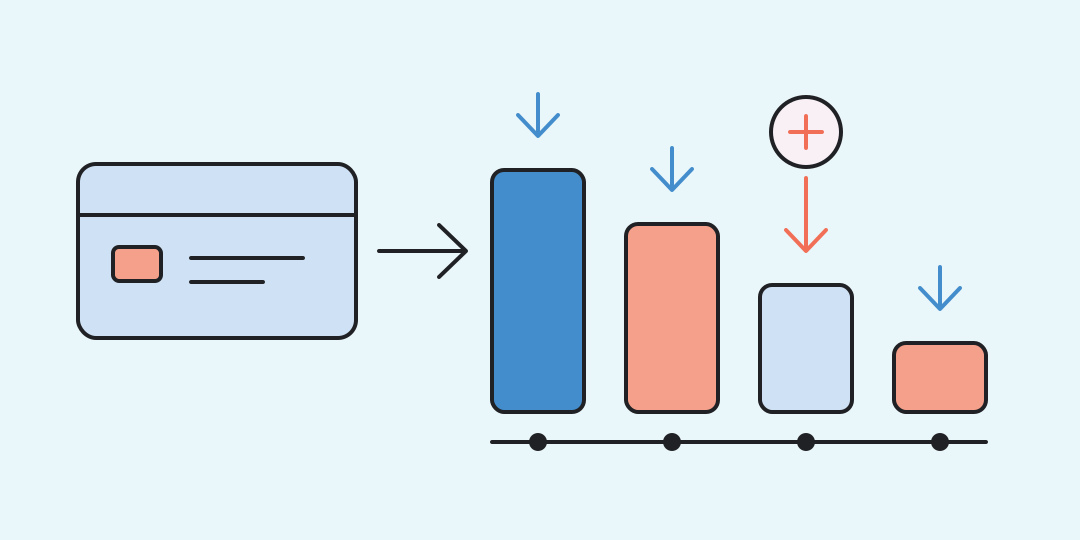
The calculator repeats one monthly cycle: it adds interest to the remaining balance, subtracts the fixed payment, and stops when the balance reaches zero.
The voluntary extra amount is added to the regular payment from the first month. The result shows the payoff time, total interest, total paid, and the difference from keeping only the base payment. Enter every monetary value in the same currency.
The model uses a monthly rate derived from the annual rate:
For month k, the remaining balance follows this recurrence:
Here i is the annual rate in percent, r is the monthly rate, M is the combined monthly payment, and interest is rounded to the smallest displayed currency unit each month.
Build a plan from your latest statement
Use the current balance before future interest, the annual rate that applies to that balance, and a monthly amount you can keep paying even when the required minimum falls. Add an extra payment only if it is genuinely available every month.
- Keep new purchases out of the balance after starting the plan.
- Use 0% only when the balance truly stays interest-free for the whole payoff period.
- Compare the calculated payment with your monthly budget before focusing on interest savings.
If the payment is no higher than first-month interest, the principal cannot shrink. The calculator reports that condition instead of displaying an endless schedule.
Three payoff scenarios
Extra payment on a high-rate balance. A balance of 150,000 at 29.9%, with a base payment of 7,500 and an extra 3,000, is paid off in 18 months. Interest totals 37,725.03 and all payments total 187,725.03. Without the extra amount, payoff takes 29 months and interest reaches 60,216.72, so the extra payment saves 11 months and 22,491.69.
A smaller balance with a steady increase. A balance of 80,000 at 30%, paid at 5,000 plus 2,000 each month, closes in 14 months with 15,405.27 of interest. The 5,000-only plan needs 21 months and costs 23,450.19 in interest.
An interest-free plan. A balance of 120,000 at 0% and a monthly payment of 10,000 closes in exactly 12 months. Total interest is zero, provided the rate remains 0% and no fee or new purchase changes the balance.
Why your issuer may show another number
Many card issuers calculate interest daily from an average daily balance, while this calculator uses equal months and one fixed rate. A card can also hold separate balances for purchases, cash advances, transfers, and promotions. The Consumer Financial Protection Bureau explains these daily-rate and multi-balance differences.
Fees, insurance, late charges, changing rates, payment allocation rules, and new transactions are outside the model. Treat the answer as a planning estimate and use the statement or card agreement for the contractual amount and due date.
Credit card payoff questions
The answers below cover the inputs that most often change a payoff estimate.
Which balance should I enter?
Use the current outstanding balance from the latest account view. Add transactions made after the statement only if they are already part of the debt you plan to repay.
Is the fixed payment the bank's minimum payment?
It can be, but the calculator keeps it constant. An issuer's required minimum may change as the balance falls, so a minimum-only estimate on the statement can differ.
Can I keep using the card?
The calculation assumes no new purchases, transfers, cash advances, or fees. New activity raises the balance and makes the displayed payoff date obsolete.
How should I model a grace period?
Use 0% only if the balance stays eligible for the grace or promotional terms until it is fully paid. Otherwise use the rate that will actually apply.
Why must the payment exceed the first month's interest?
A payment equal to interest leaves the principal unchanged. A smaller payment lets the balance grow, so neither case produces a finite payoff under this model.
Does the result include card fees?
No. Add annual fees, service charges, insurance, penalties, and transaction fees separately when they apply.
Similar calculators
You may find the following calculators on the same topic useful:
- Margin and markup calculator. Choose the two values you know to calculate profit, price, cost, margin and markup.
- Salary to hourly calculator. Enter your pay and work schedule to compare hourly, weekly, monthly, and annual amounts.
- Savings goal calculator. Enter your target and current savings to find the time needed or the monthly contribution for a fixed deadline.
- Simple interest calculator. Enter a principal, annual rate, and term to find the interest earned without compounding.
- Printer cost per page calculator. Enter cartridge price and yield, paper price, and page count to see the unit cost and total.
- Churn rate calculator. Choose customers or recurring revenue and enter three values for the same period.
- VAT Calculator. Determine the VAT amount from the price or calculate the VAT to be added.
- Online Income Tax Calculator. Calculate income tax online, based on the amount received 'in hand' or the total salary using different rates.
- Compound Interest Calculator. Discover how compound interest can boost your investments through reinvestment, scheduled contributions, and capitalization.
- Subtract Percentage from Number Calculator. Calculate online the subtraction of any percentage from any number using a special calculator.
Share on social media
If you liked it, please share the calculator on your social media platforms. It`s easy for you and beneficial for the project`s promotion. Thank you!