Contents
How the rectangle diagonal calculator works
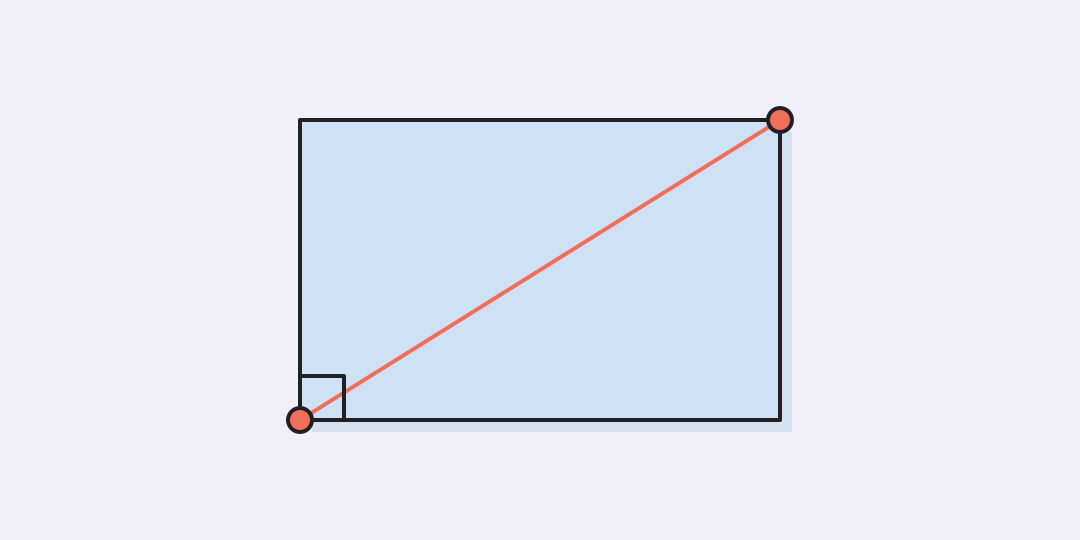
Enter the rectangle’s two side lengths in the same unit. The calculator returns the straight-line distance between opposite corners.
The formula behind the answer
A diagonal splits a rectangle into two right triangles. Its length is the hypotenuse, so the Pythagorean theorem applies:
Here, a and b are the side lengths and d is the diagonal. Keep both inputs in one unit; the answer uses that unit too.
Three quick checks
These familiar triples make it easy to check the calculation.
- 3 by 4 gives 5. This is the classic 3-4-5 right triangle.
- 5 by 12 gives 13. The same relationship works in centimetres, feet, or any other shared unit.
- 1 by 1 gives about 1.414214. A square’s diagonal equals its side multiplied by √2.
For a 120 cm by 70 cm screen, the corner-to-corner distance is about 138.92444 cm. A marketed screen size may differ because manufacturers measure the visible panel rather than the outer frame.
Measure the rectangle, not an approximation
The formula assumes four right angles. If a frame is skewed, its two diagonals can differ and the result describes the ideal rectangle made from the entered sides.
- Measure both sides along straight edges.
- Do not mix centimetres and metres in the two inputs.
- Keep extra decimals when the diagonal will be used for cutting or fitting.
Questions about rectangle diagonals
The short answers below cover the cases that most often cause a wrong measurement.
Can I find the diagonal from area alone?
No. Rectangles with the same area can have different proportions and different diagonals. You need both side lengths or equivalent information.
Is the diagonal always longer than either side?
Yes, for a rectangle with two positive side lengths, the diagonal is longer than each individual side.
Does the formula work for a square?
Yes. Set both sides to the same value; the diagonal equals that value multiplied by the square root of 2.
Can I use inches or feet?
Yes. Choose the unit and enter both sides in that same unit. The result appears in the selected unit.
Why might a measured diagonal be different?
Real objects may be out of square, measurements may include a frame, or the side lengths may have been rounded.
Similar calculators
You may find the following calculators on the same topic useful:
- Feet to metres converter. Enter a length in feet or metres and the matching value appears immediately.
- Degrees to radians converter. Enter an angle in degrees or radians and see the equivalent value immediately.
- Yards to metres converter. Enter a length in yards or metres and see the equivalent value immediately in the other field.
- Feet to centimetres converter. Enter a length in feet or centimetres and see the equivalent value immediately in the other field.
- Area unit converter. Enter a known area in either field and choose the units to see the equivalent value instantly.
- Kilometres to miles converter. Enter a distance in kilometres or miles and see the equivalent value immediately in the other field.
- Metres to feet converter. Enter a length in metres or feet and see the equivalent value immediately in the other field.
- Feet to inches converter. Enter a length in feet or inches and see the equivalent value immediately in the other field.
- Acres to square metres converter. Enter an area in acres or square metres and see the exact equivalent immediately.
- Oil barrels to liters converter. Enter a volume in oil barrels or liters and see the exact equivalent immediately.
Share on social media
If you liked it, please share the calculator on your social media platforms. It`s easy for you and beneficial for the project`s promotion. Thank you!